How to move the buttons in Slideshows
This tutorial explains how to move the buttons in Slideshows
1. Open Editor
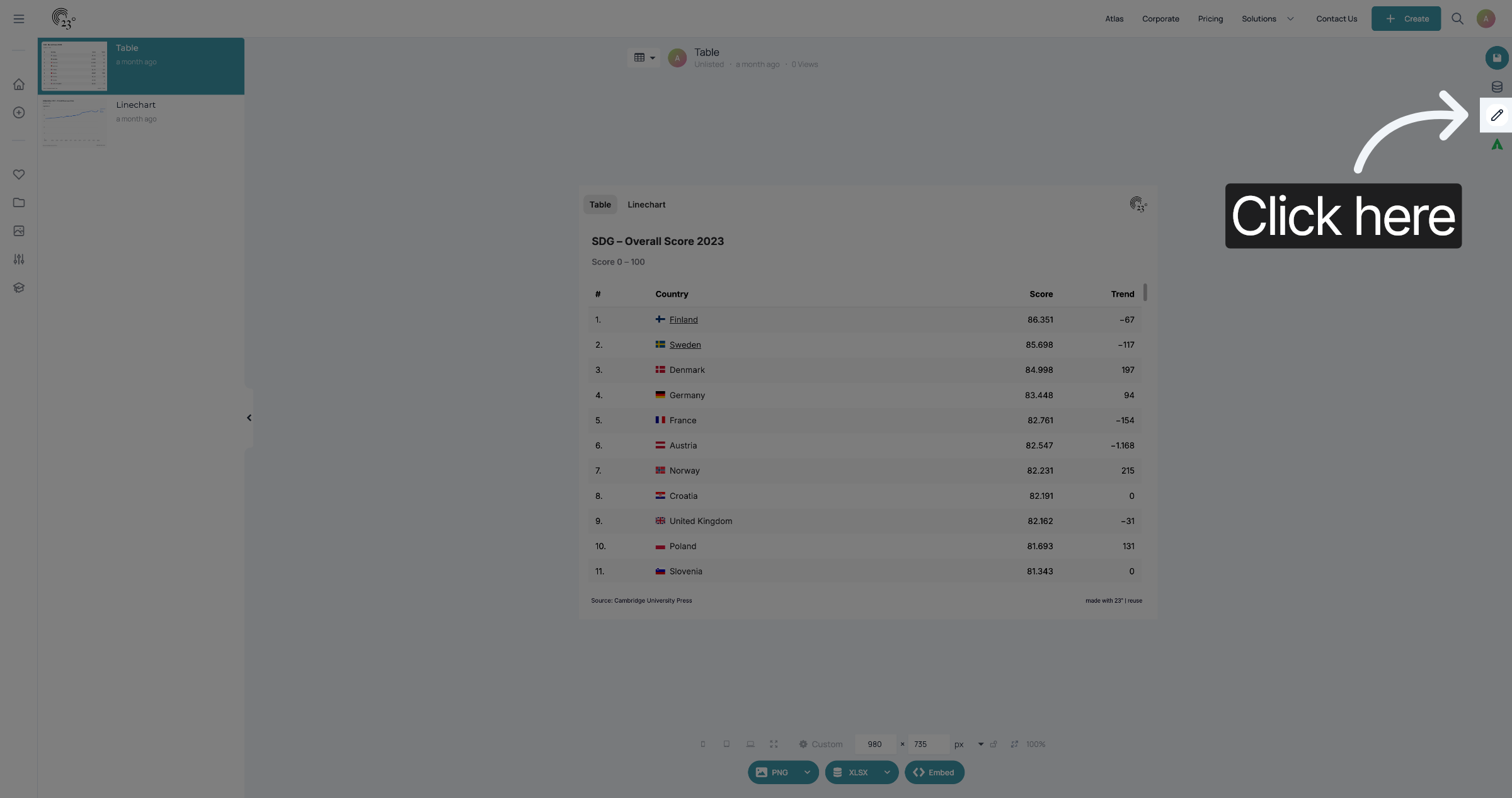
Open your Slideshow and click the pencil symbol to edit.
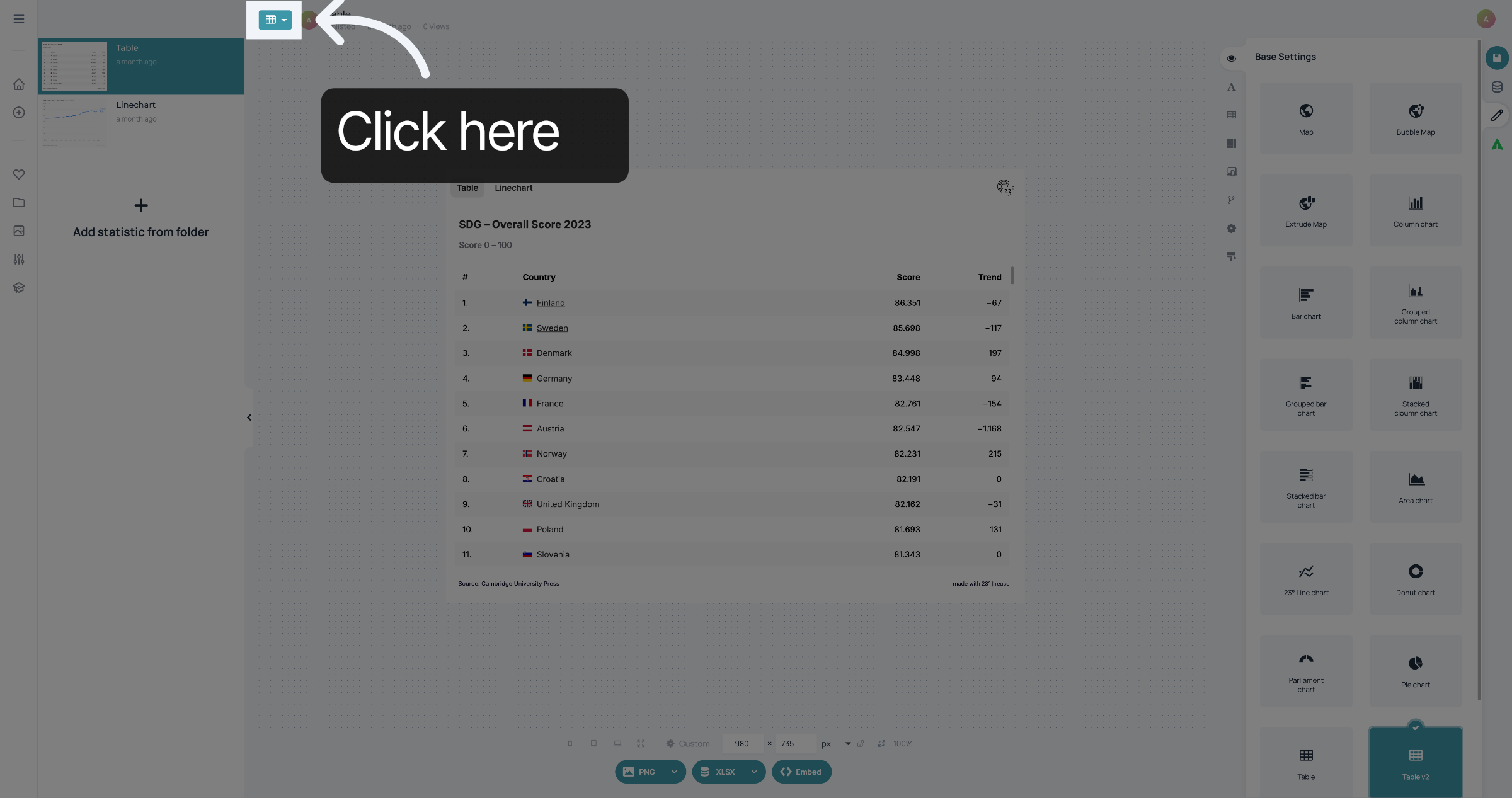
2. Switch to Slideshow editor
If the button at the top shows a small version of the visualisation, you need to click it to switch to the Slideshow settings.
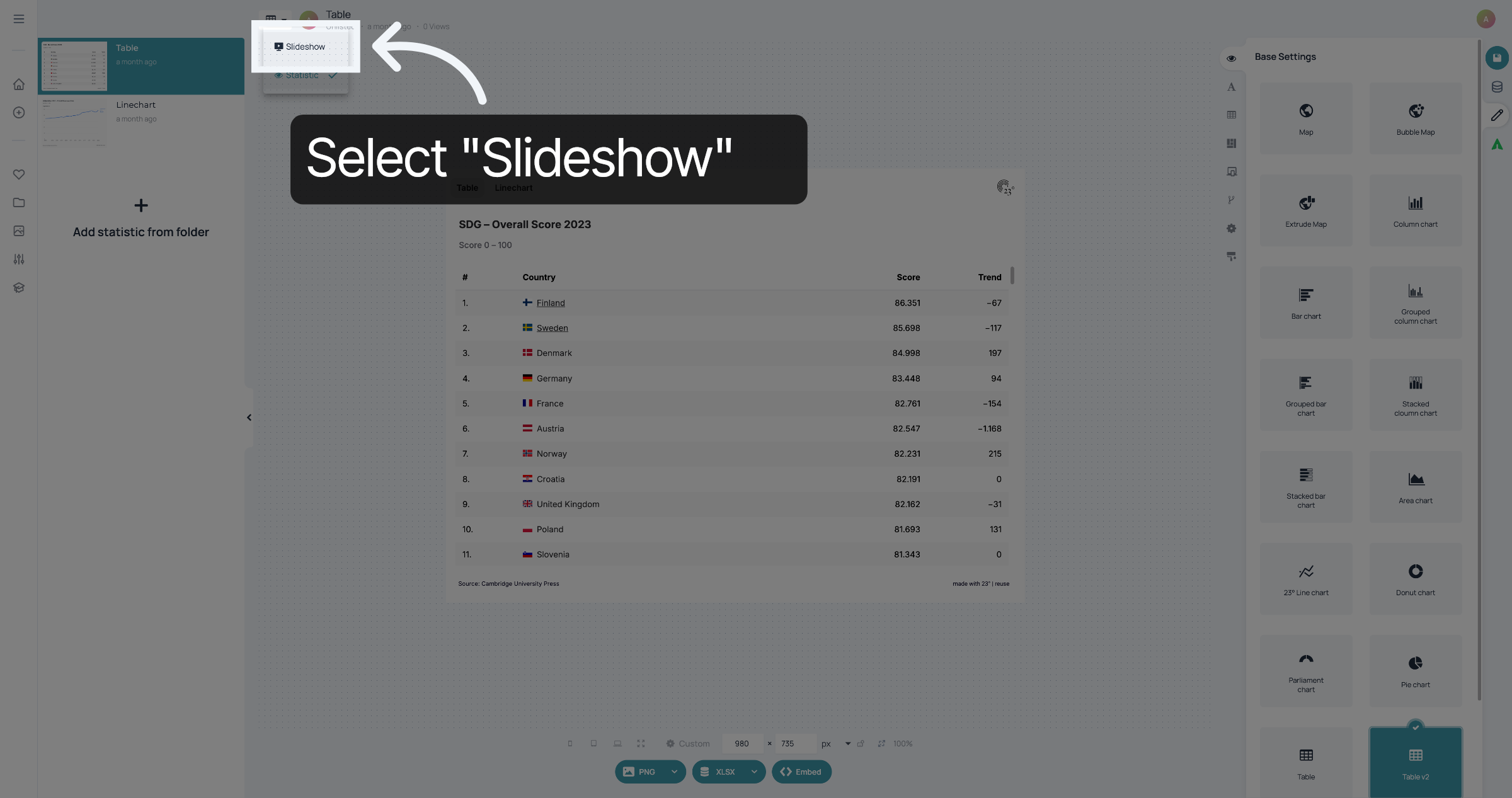
3. Select Slideshow
Select "Slideshow" to be able to edit the Slideshow layout.
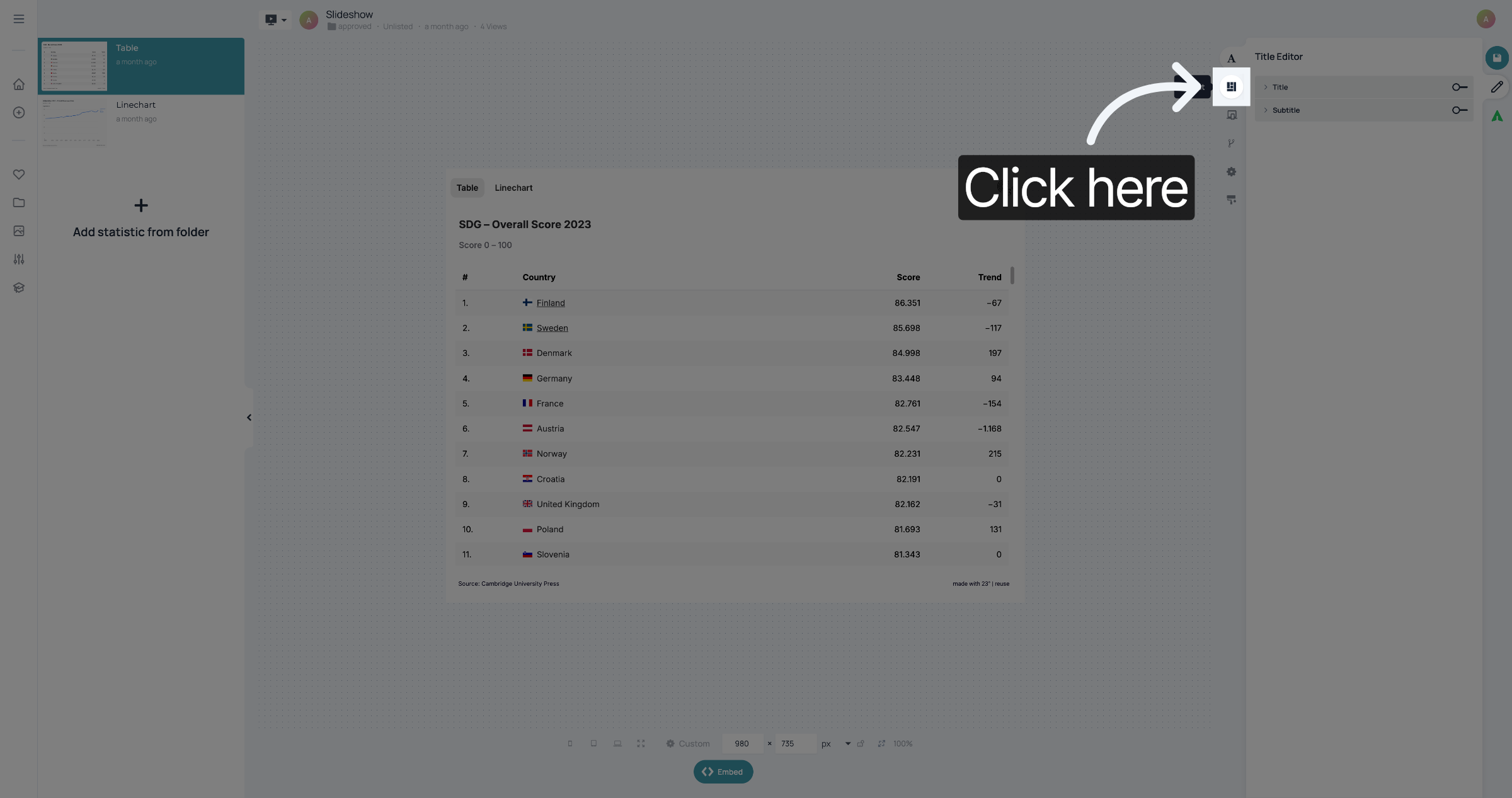
4. Open Layout editor
Click here to open the Layout Editor.
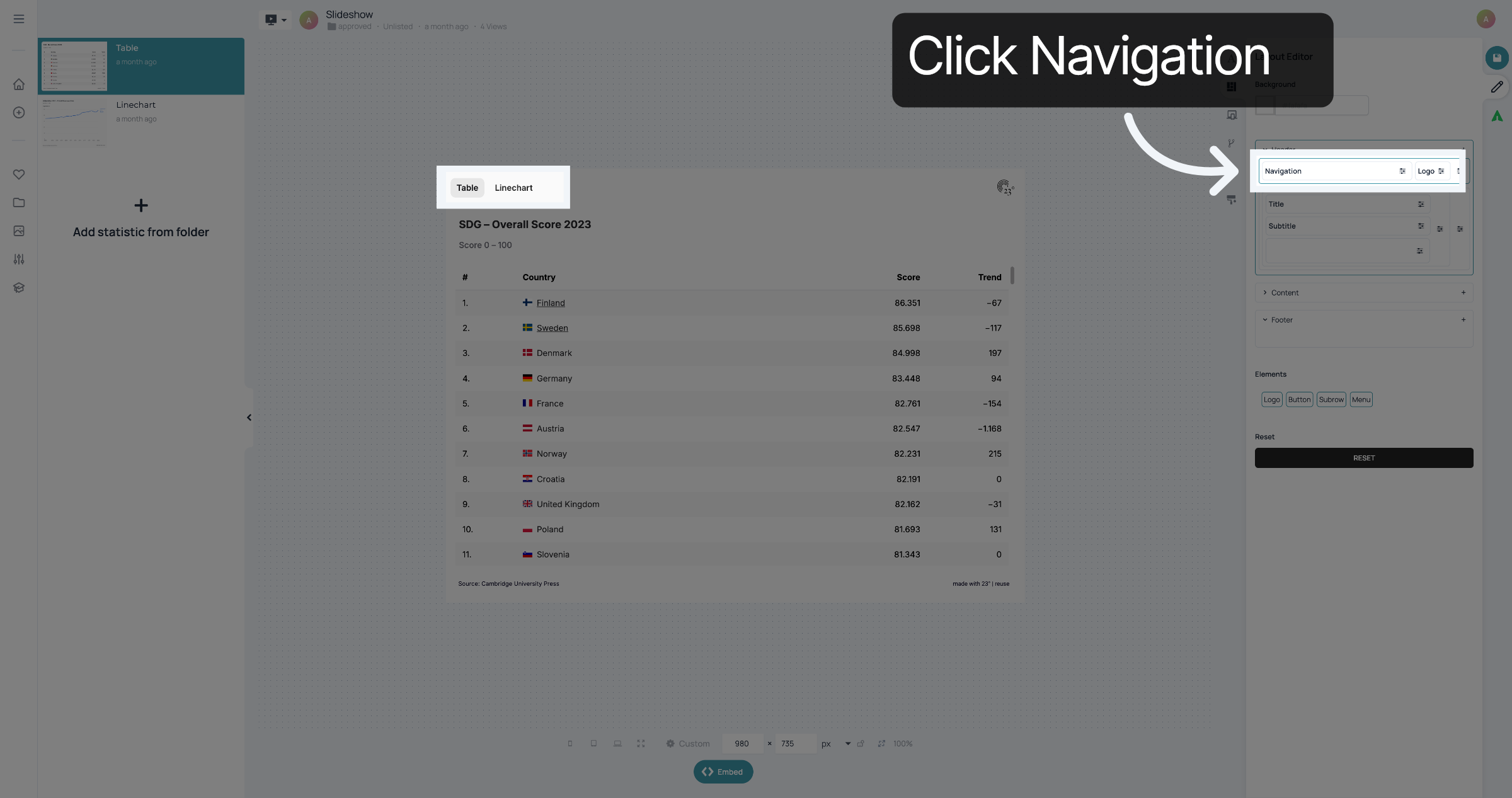
5. Click Navigation Element
Find the Navigation Element in your Layout. It's either in the Header or in the Footer. In this case it's in the Header of the Slideshow and we want to move it to the Footer. Click the Navigation.
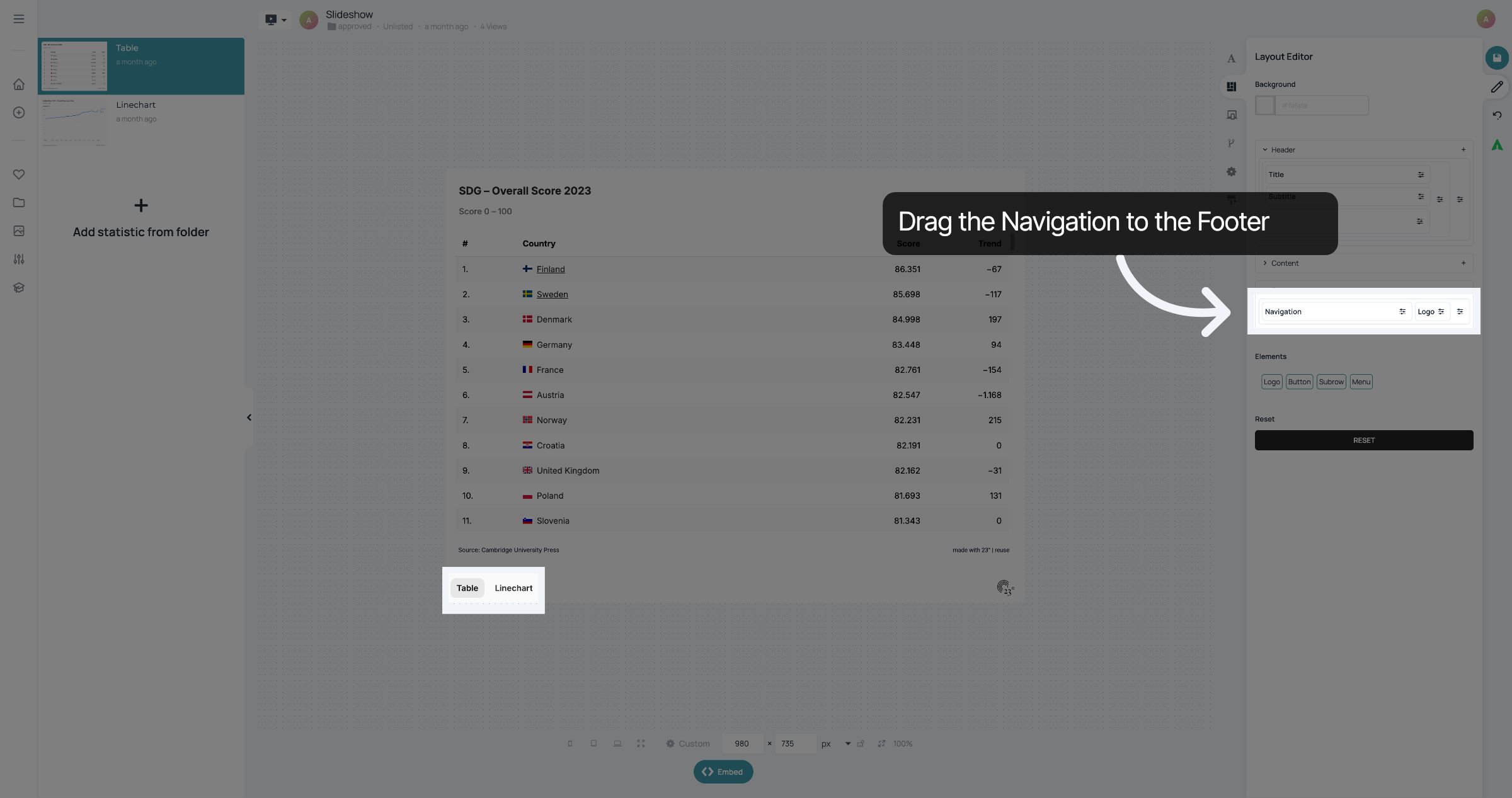
6. Drag Navigation to Footer
Drag the Navigation to the Footer.
7. Save your Changes
Don't forget to save your changes.
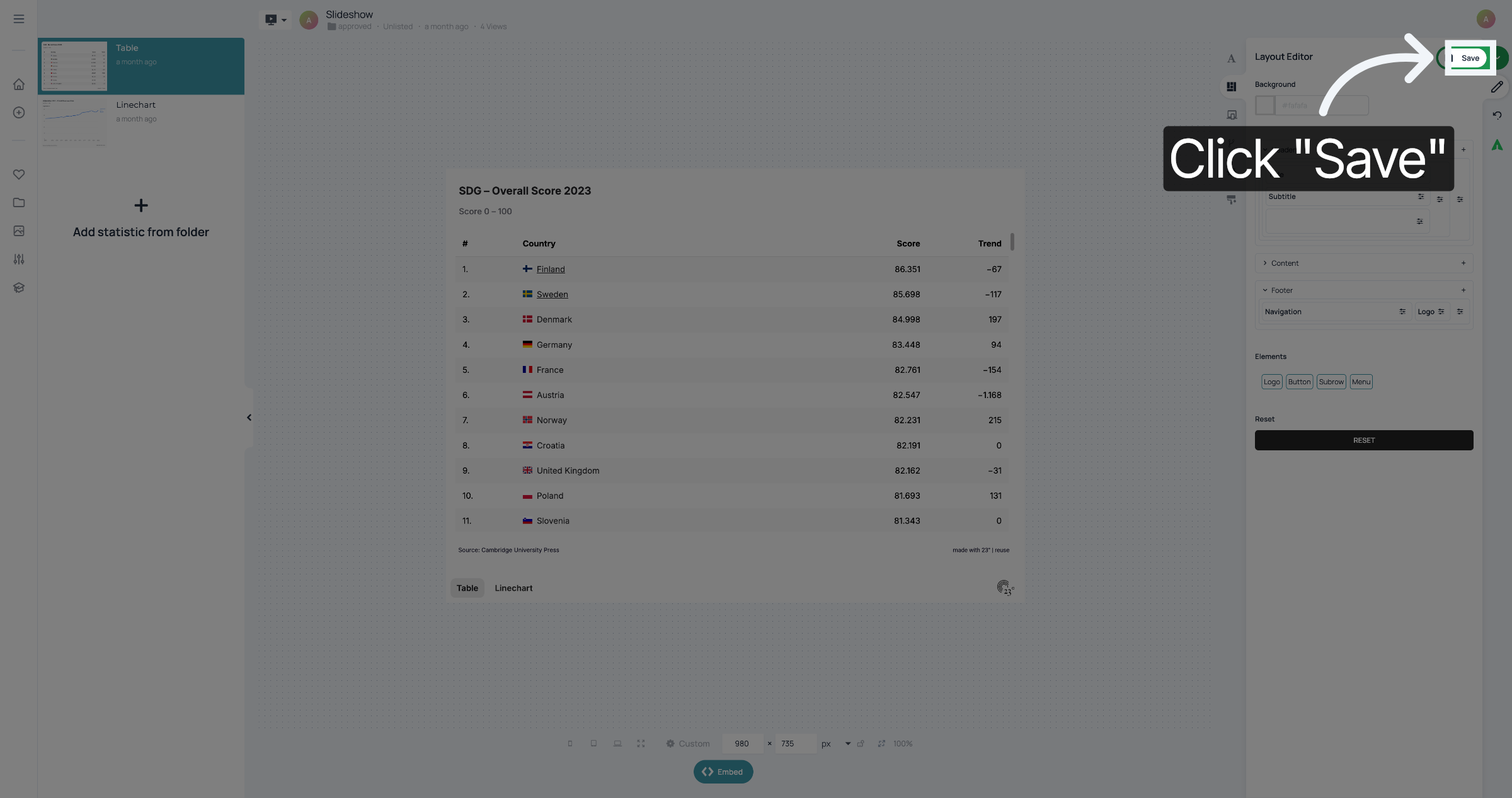
You have successfully moved the slideshow buttons.