Geocode Addresses in Locator Maps
This tutorial demonstrates how to geocode addresses on a locator map using the 23degrees application.
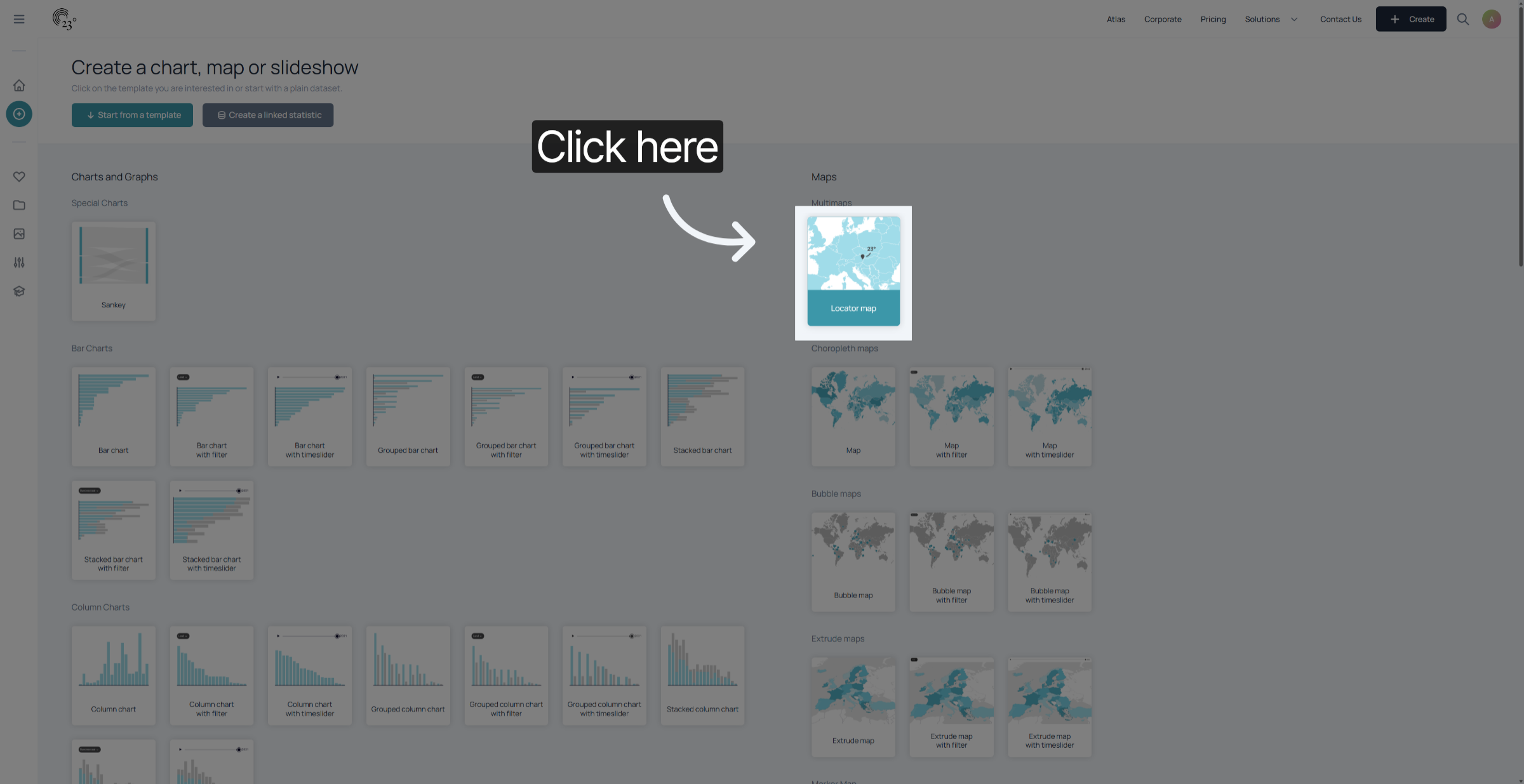
1. Select Locator Map
First Select the Locator Map from the chart selection menu
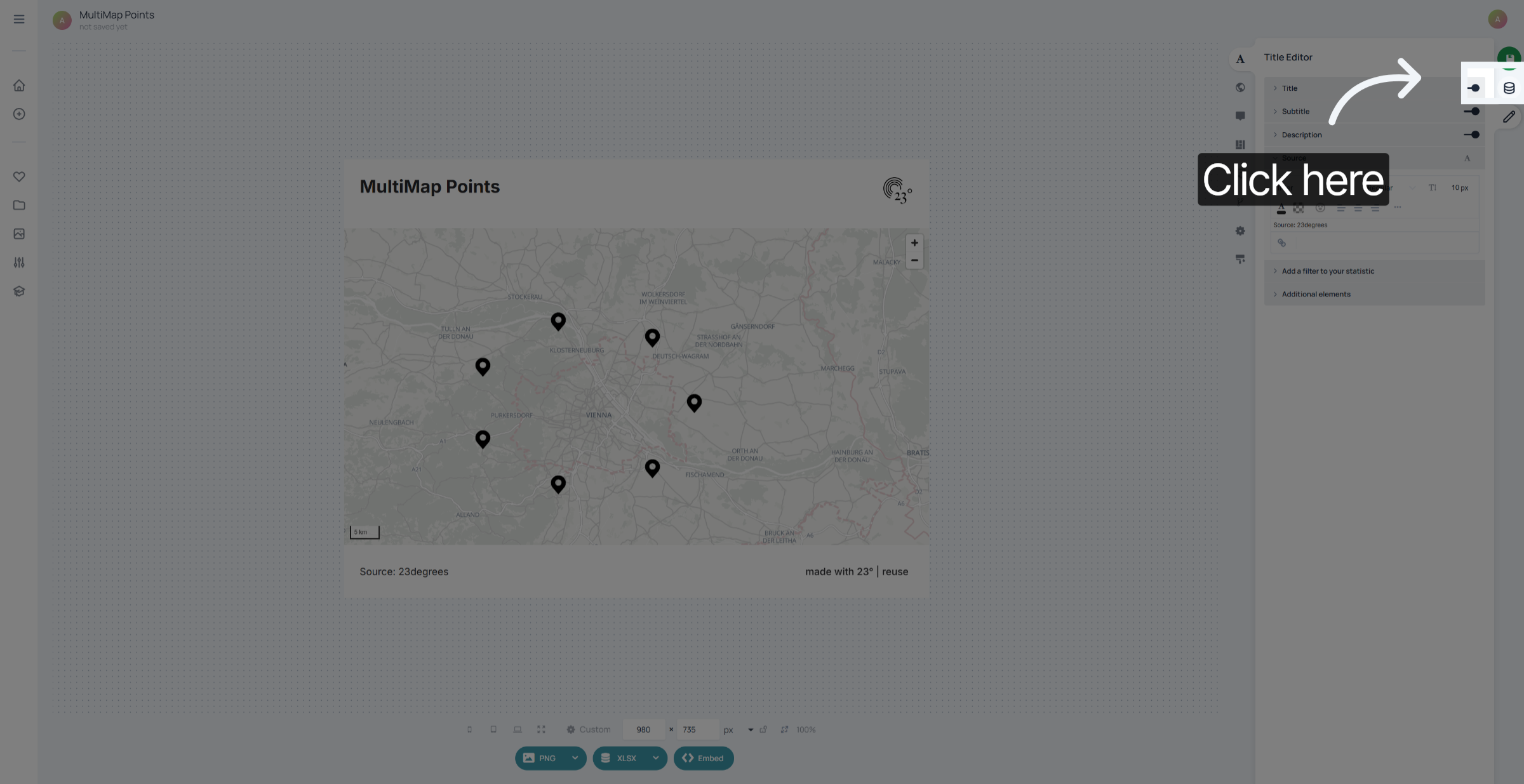
2. Dataset Editor
Go to the dataset editor
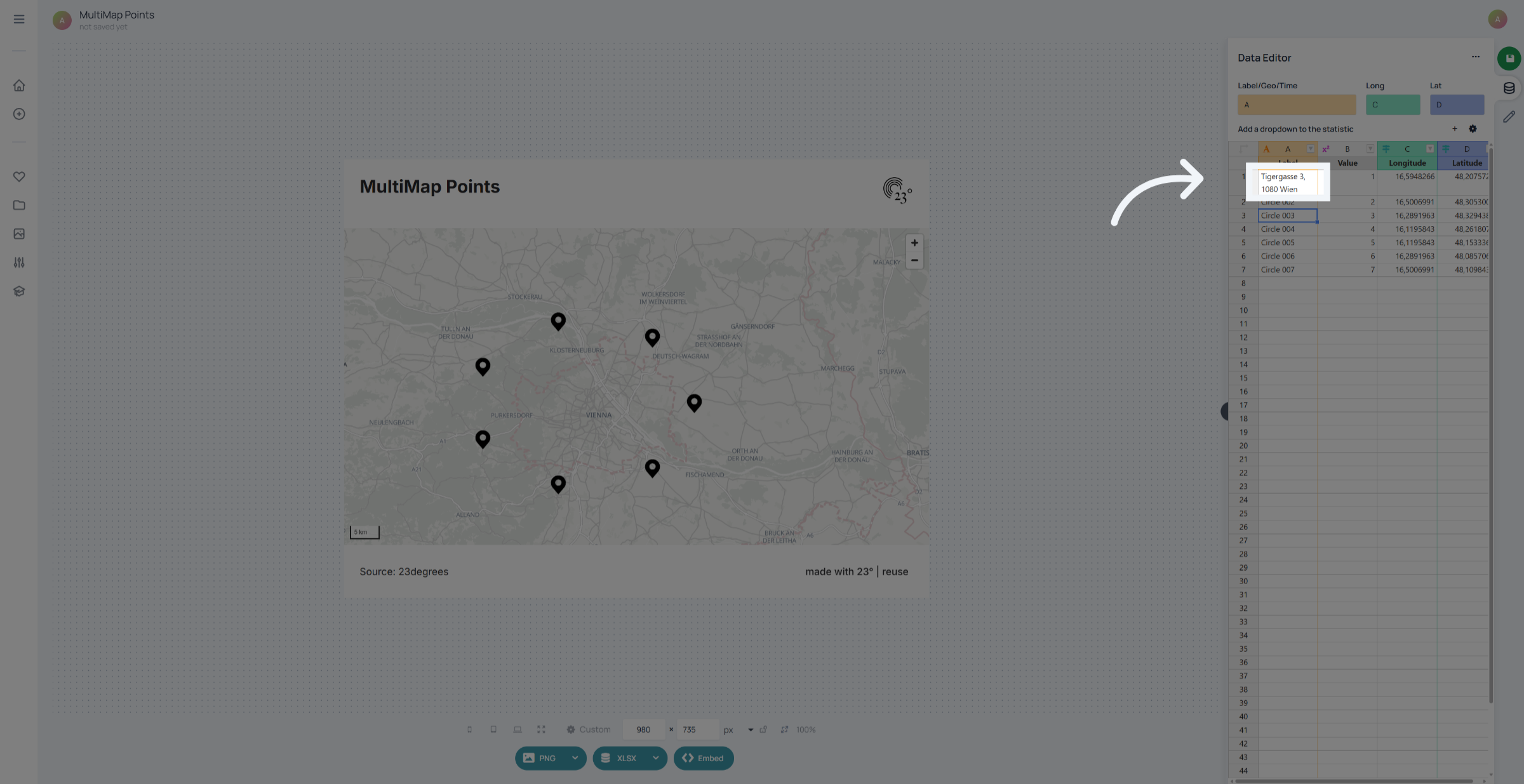
3. Enter Address
Enter your address in the text column. The more specific you can be the more likely it is that an address can be matched. So include everything from street name, city, province or state country and zip or postal code if possible.
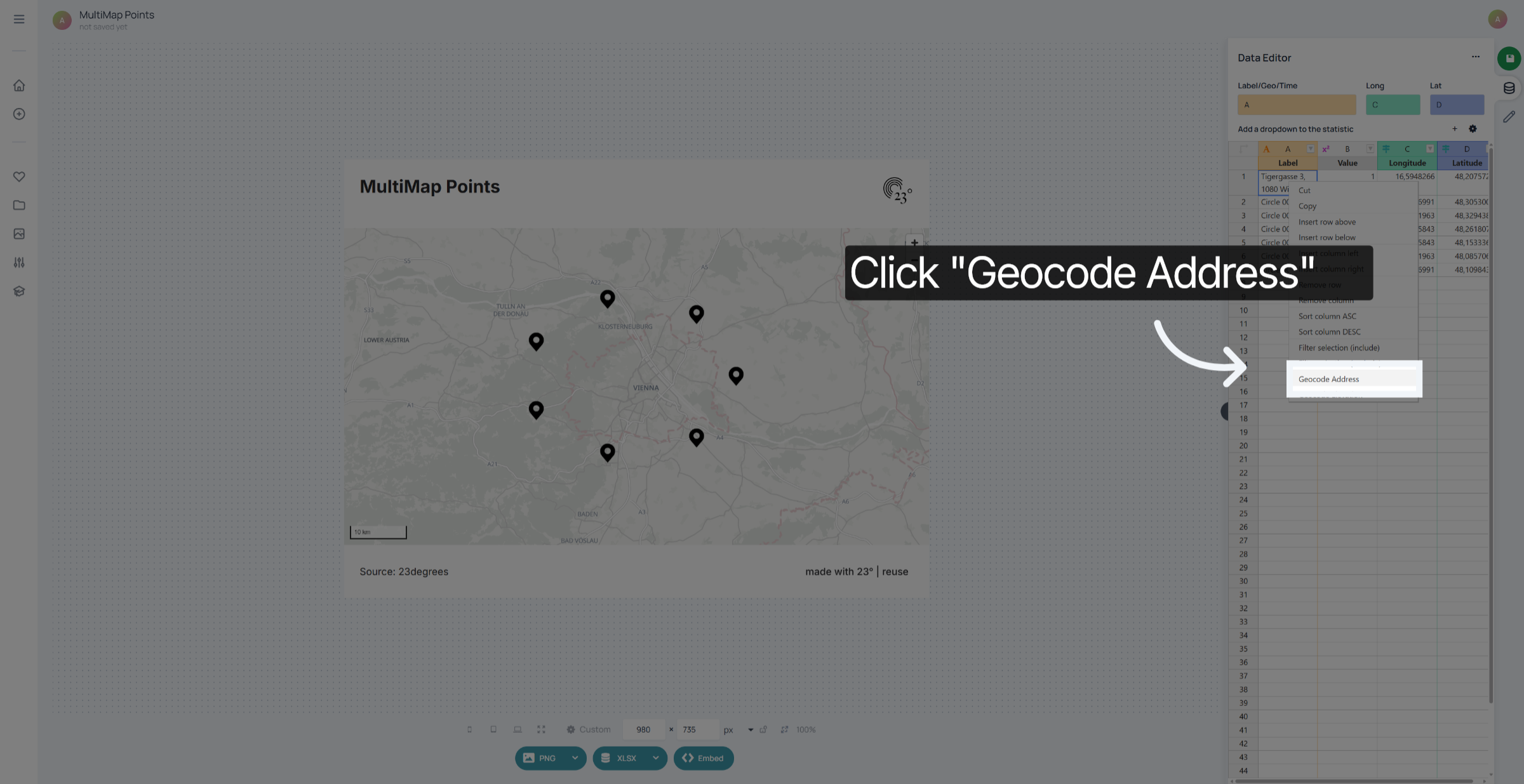
4. Execute Geocode Action
Right Click on your cell and select Geocode Address. You can also do it in batch by selecting multiple address cells at the same time.
You have successfully geocoded addresses on a locator map. This process enables accurate visualization of locations using the 23degrees application.