How to add a symbol to value display
This tutorial explains how to add symbols to value displa
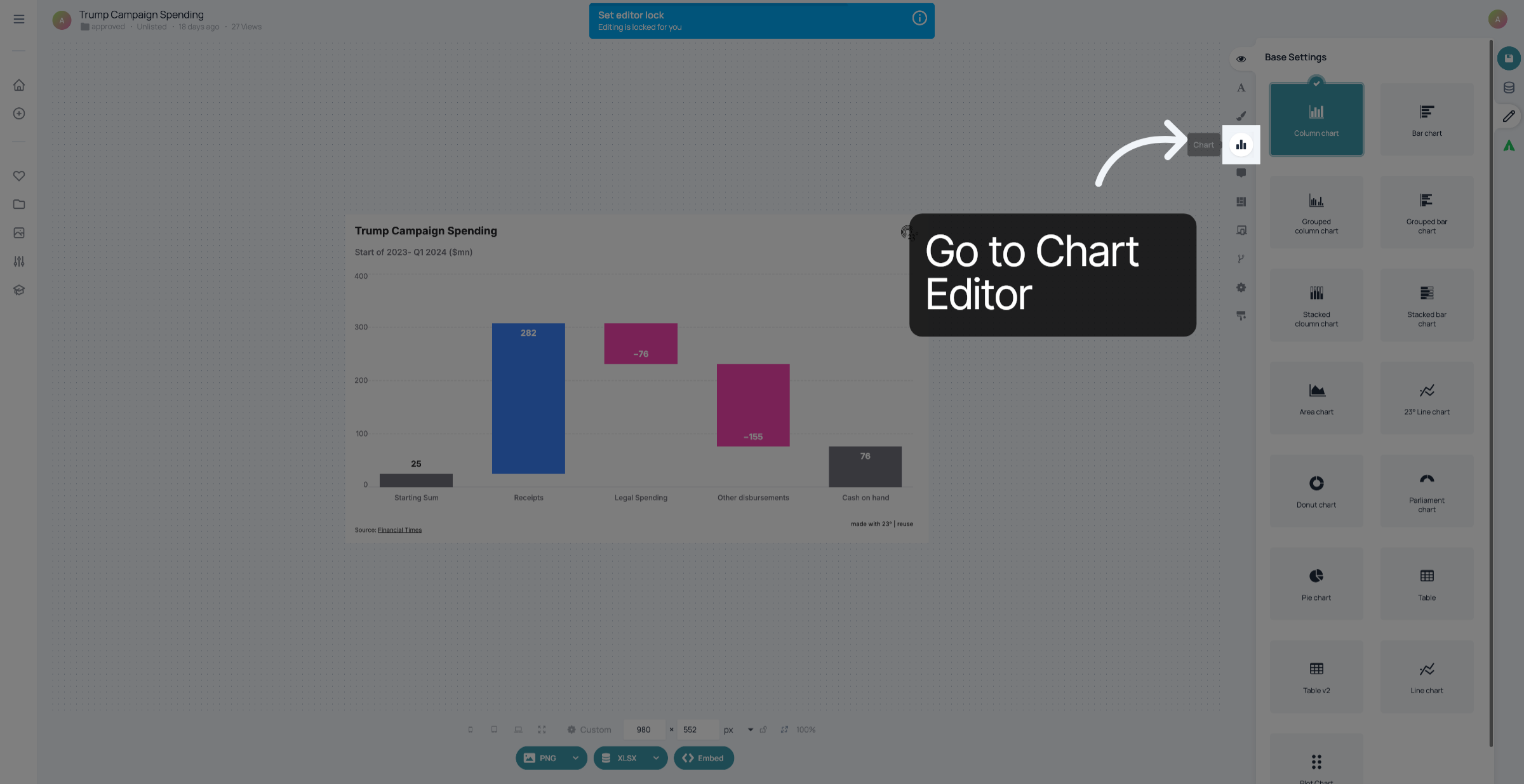
1. Go to Chart Editor
Open the Chart Editor
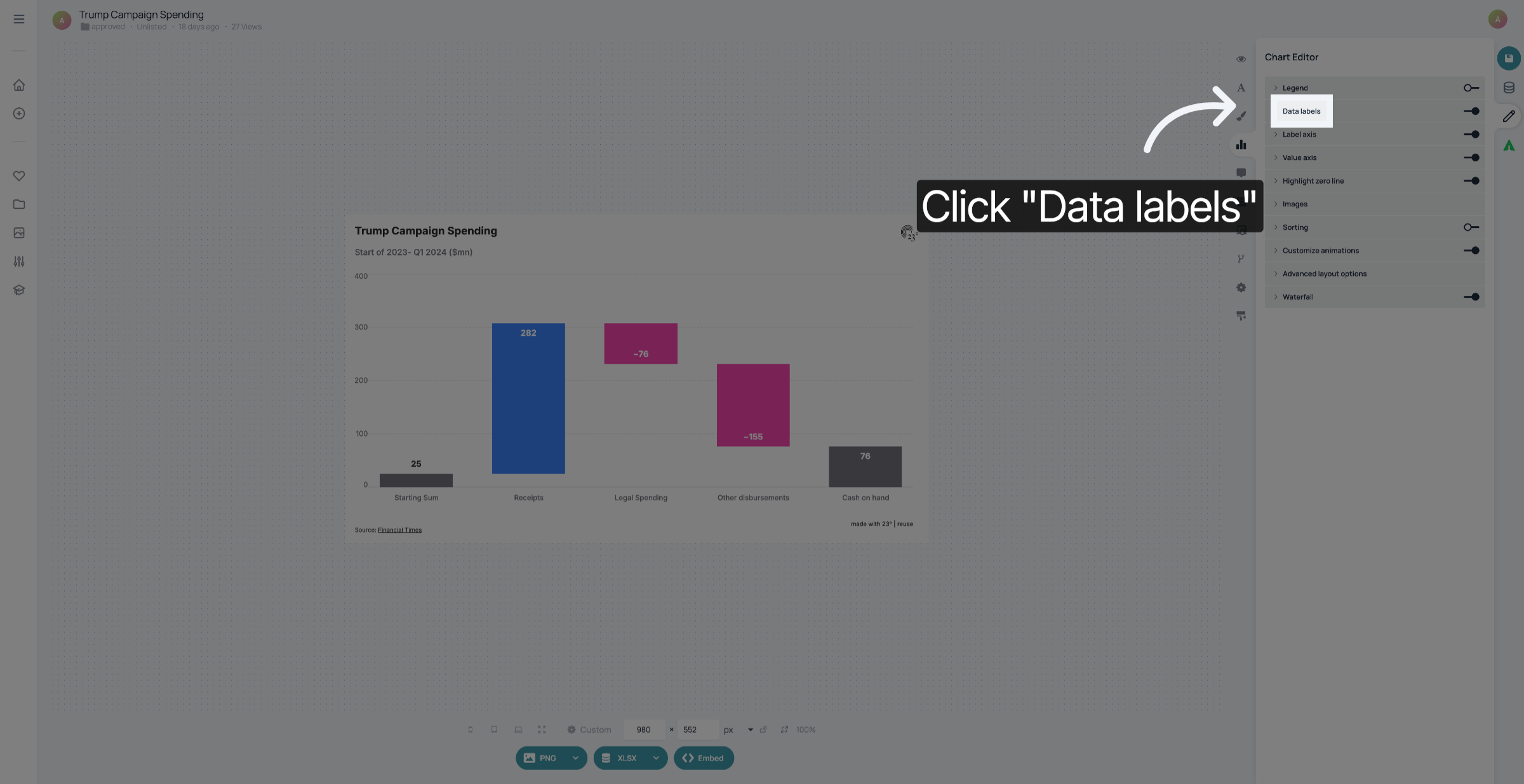
2. Go to Data labels
Go to the element that corresponds with the values you want to customize. In this case, it's "Data labels".
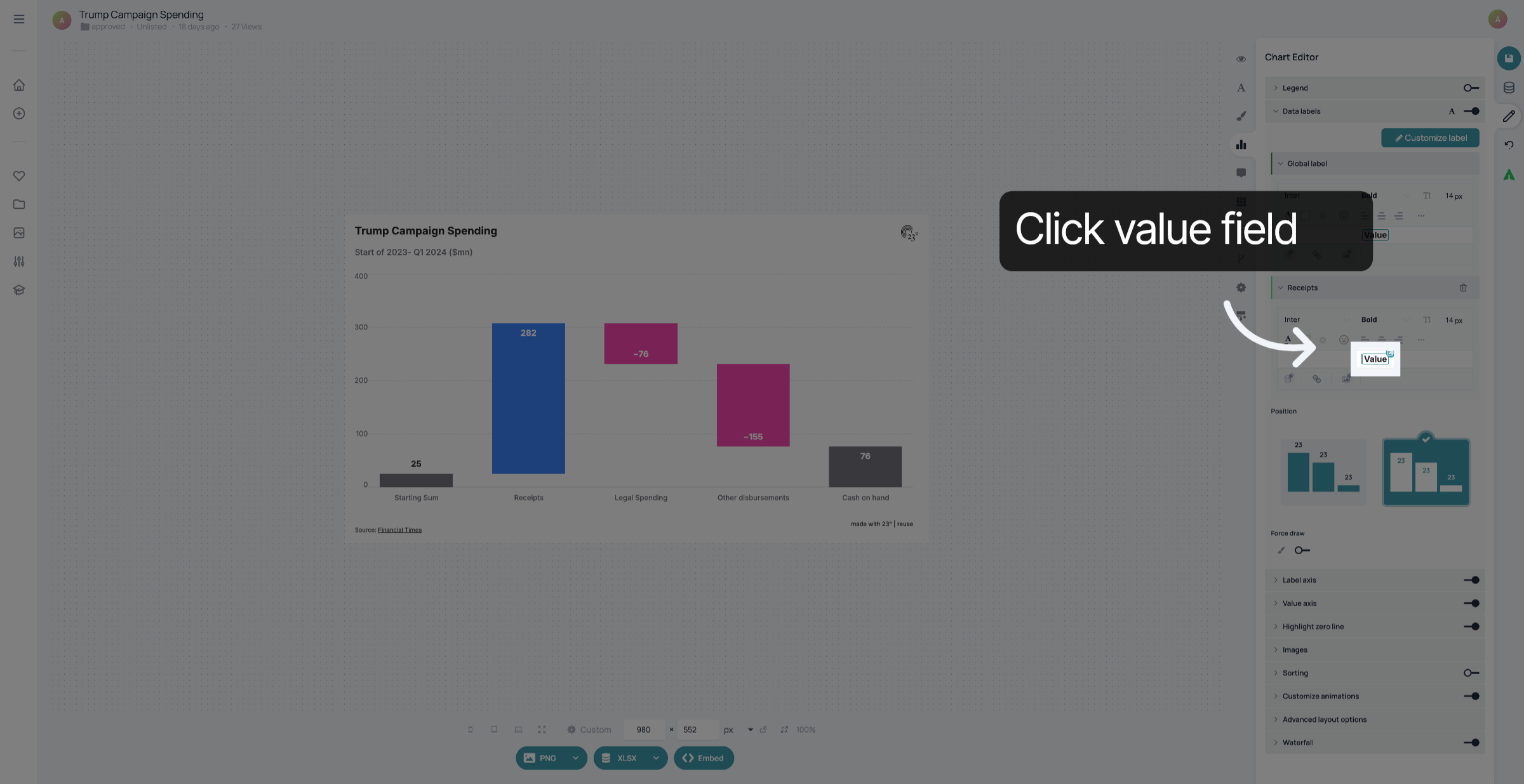
3. Select Value Field
Click on the value field.
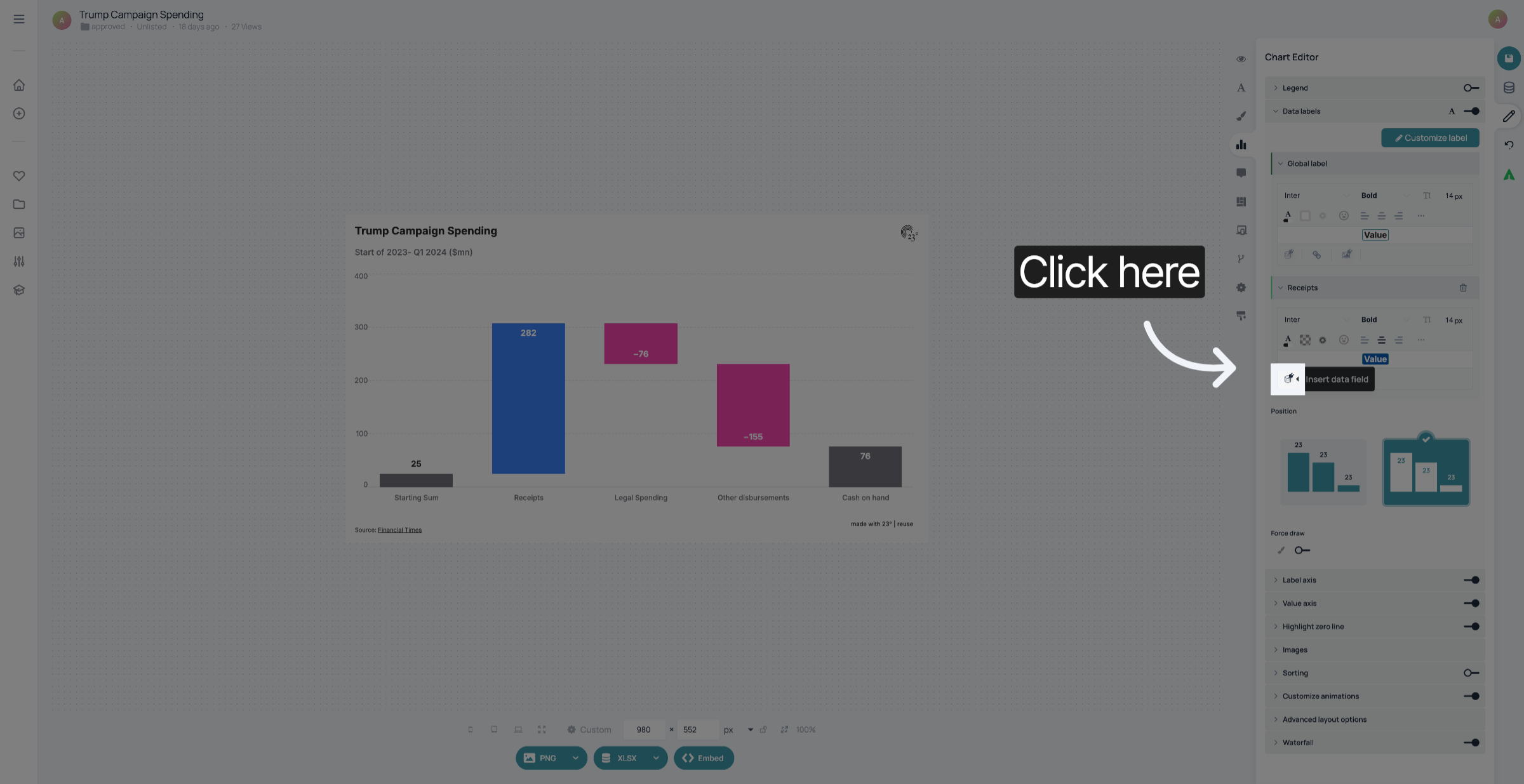
4. Customize value field
Click here to customize the data field.
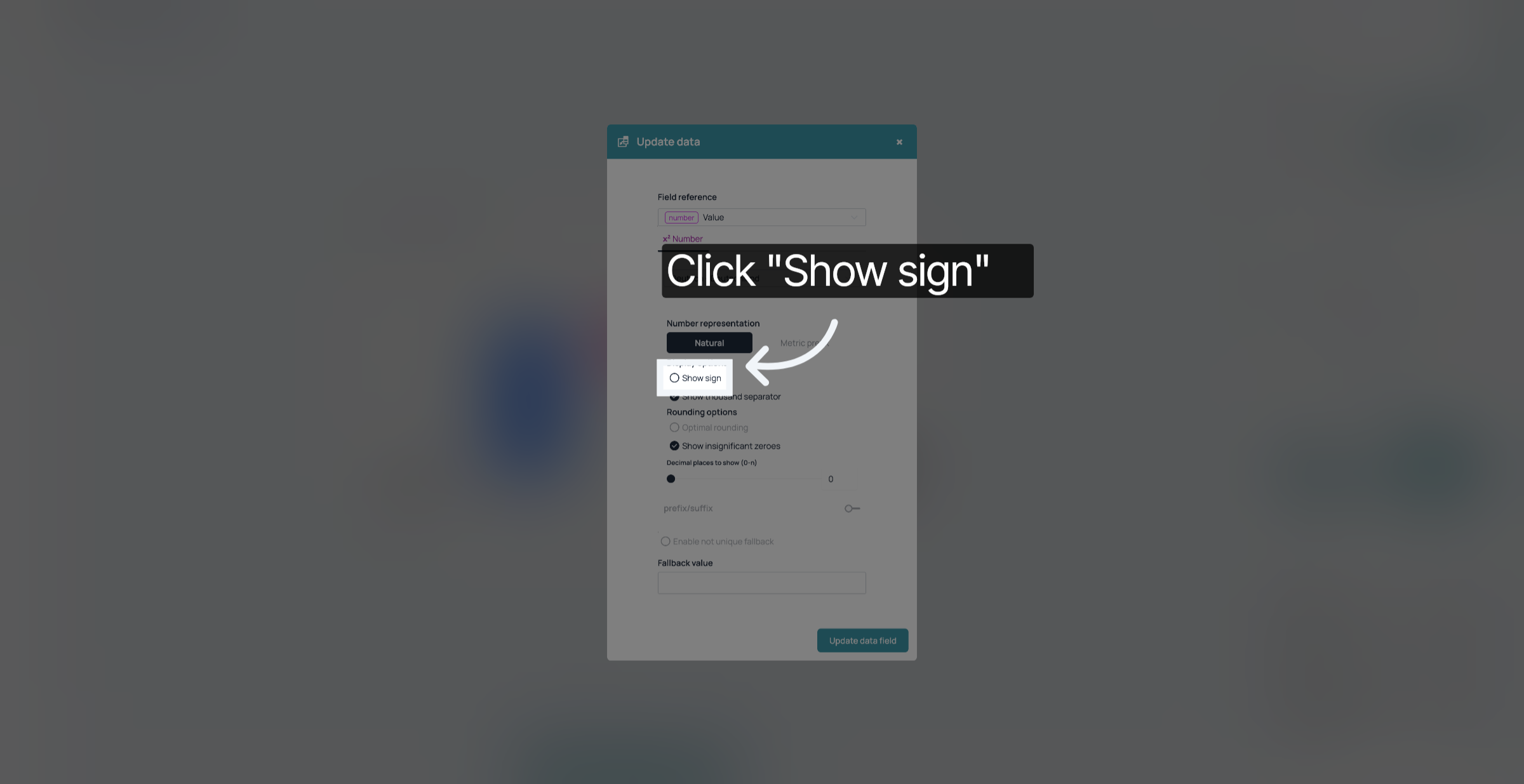
5. Activate "Show sign"
Click "Show sign".
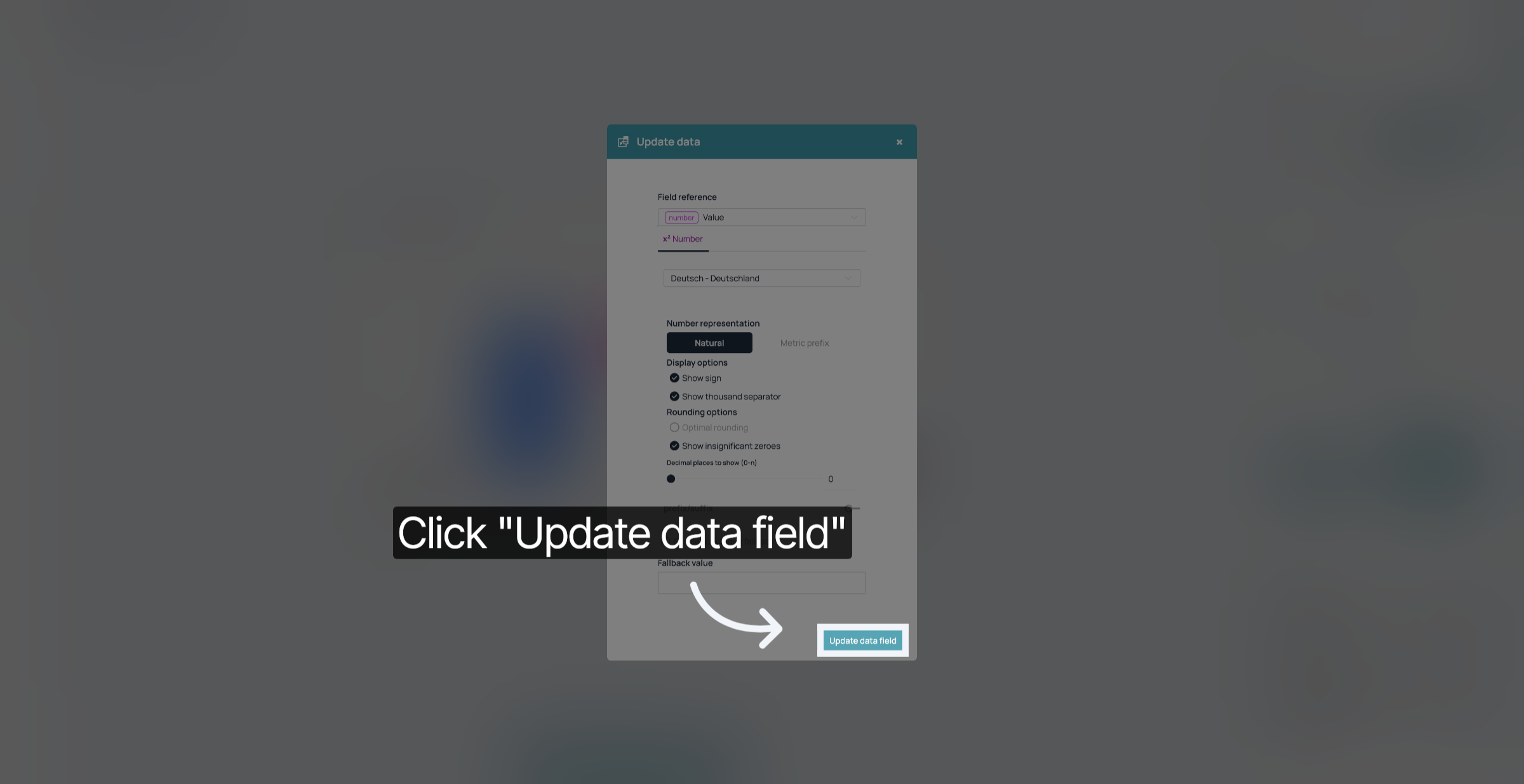
6. Click "Update data field"
Click "Update data field".
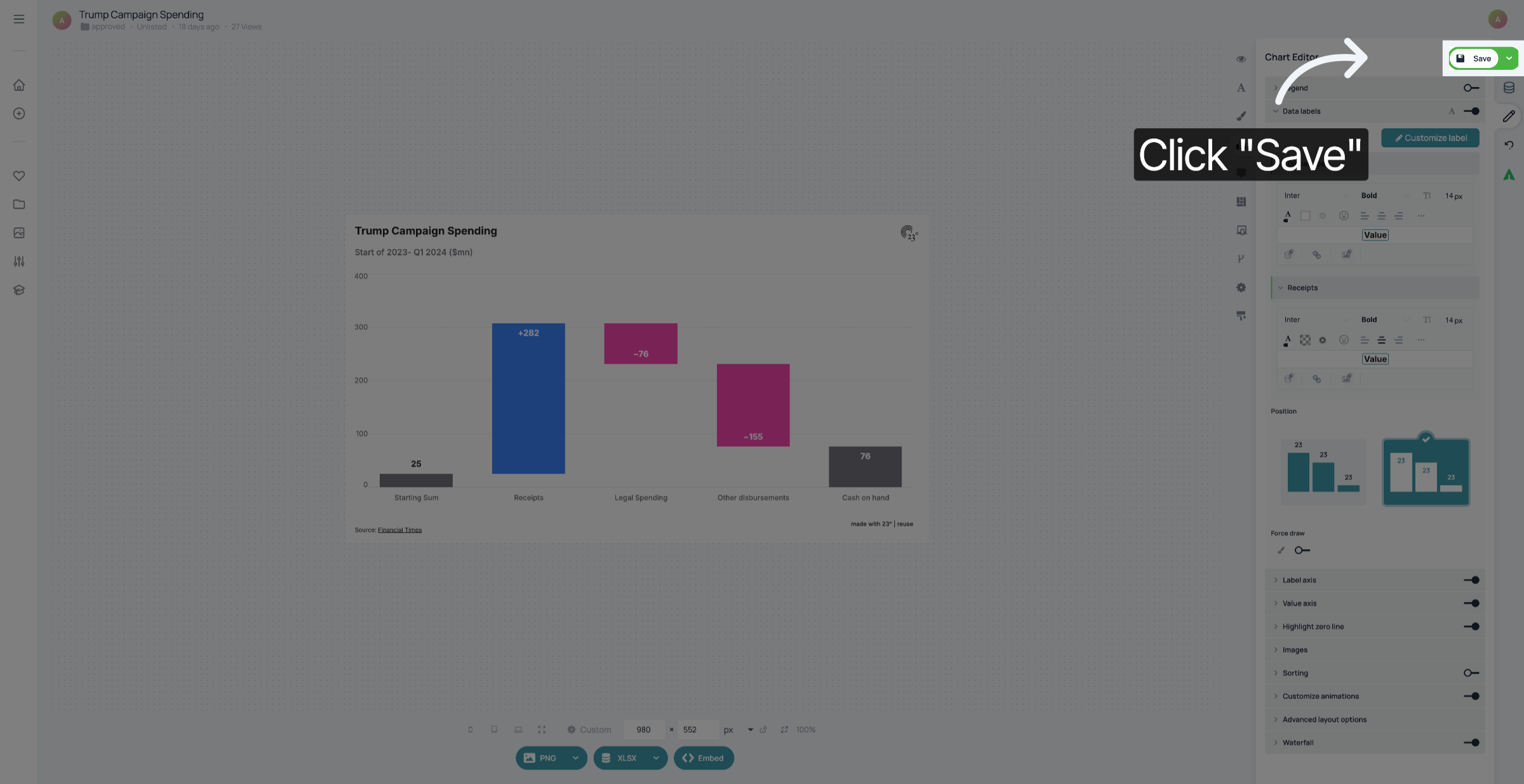
7. Save your changes
Don't forget to save your changes.
You have successfully added a symbol to the display of your value.