Switch Data Format From Wide To Long In 23degrees
This tutorial demonstrates how to switch your dataset from a wide format to a long format in 23degrees.
You will learn to reconfigure data columns to better suit analysis and visualization needs.
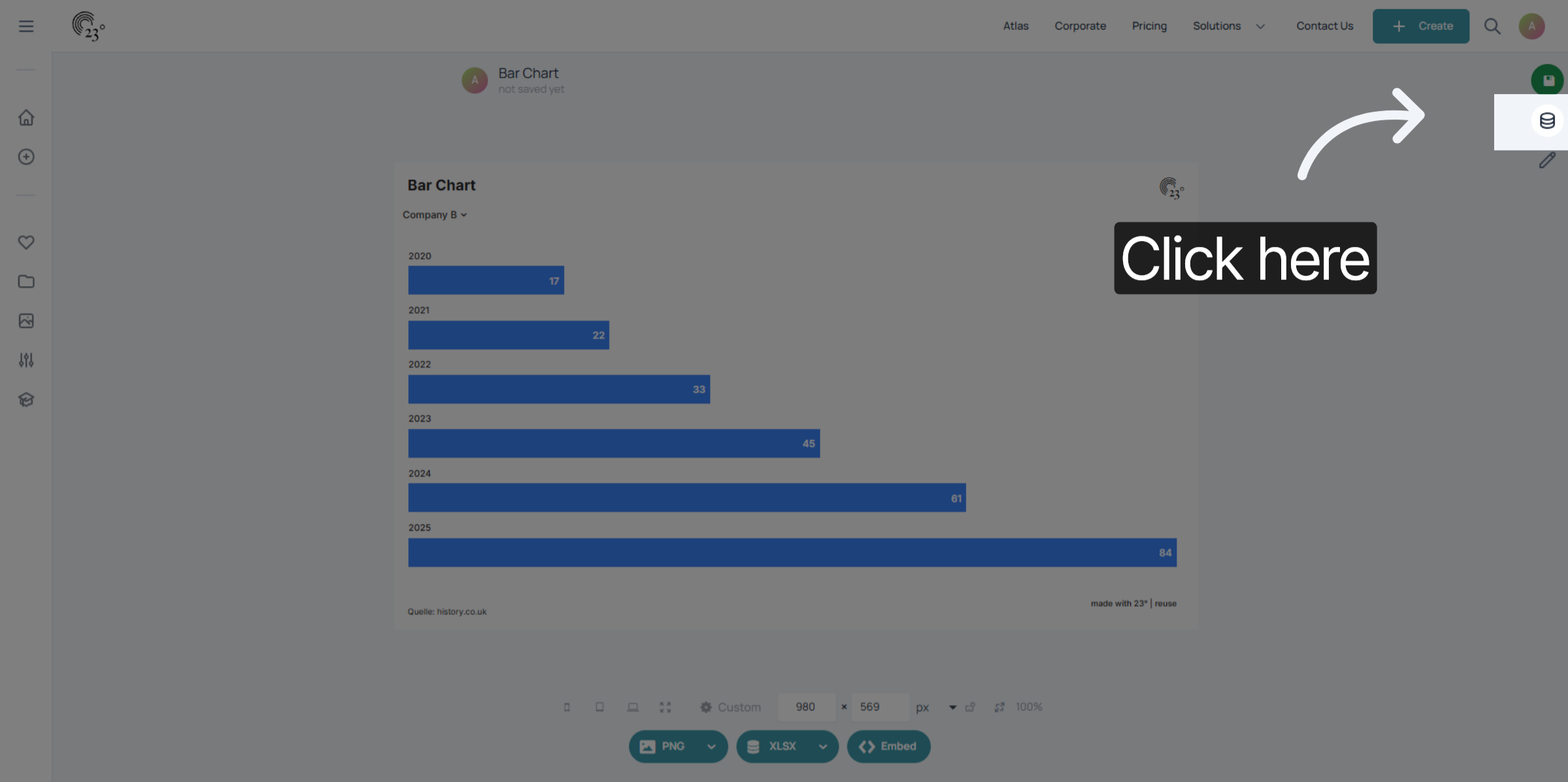
Click here to access the Data Editor Menu.
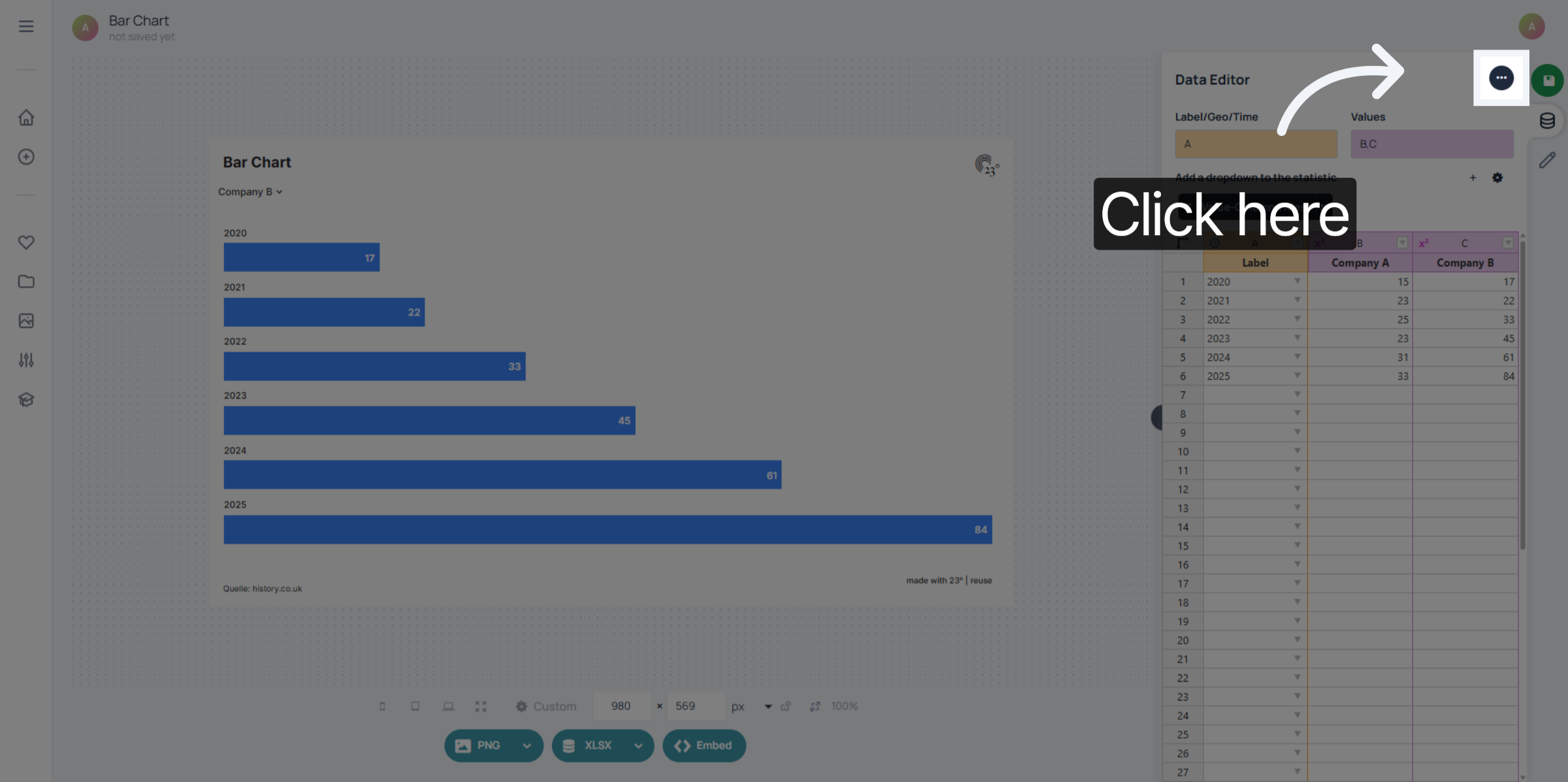
Click here to open the data format settings to begin switching the data structure.
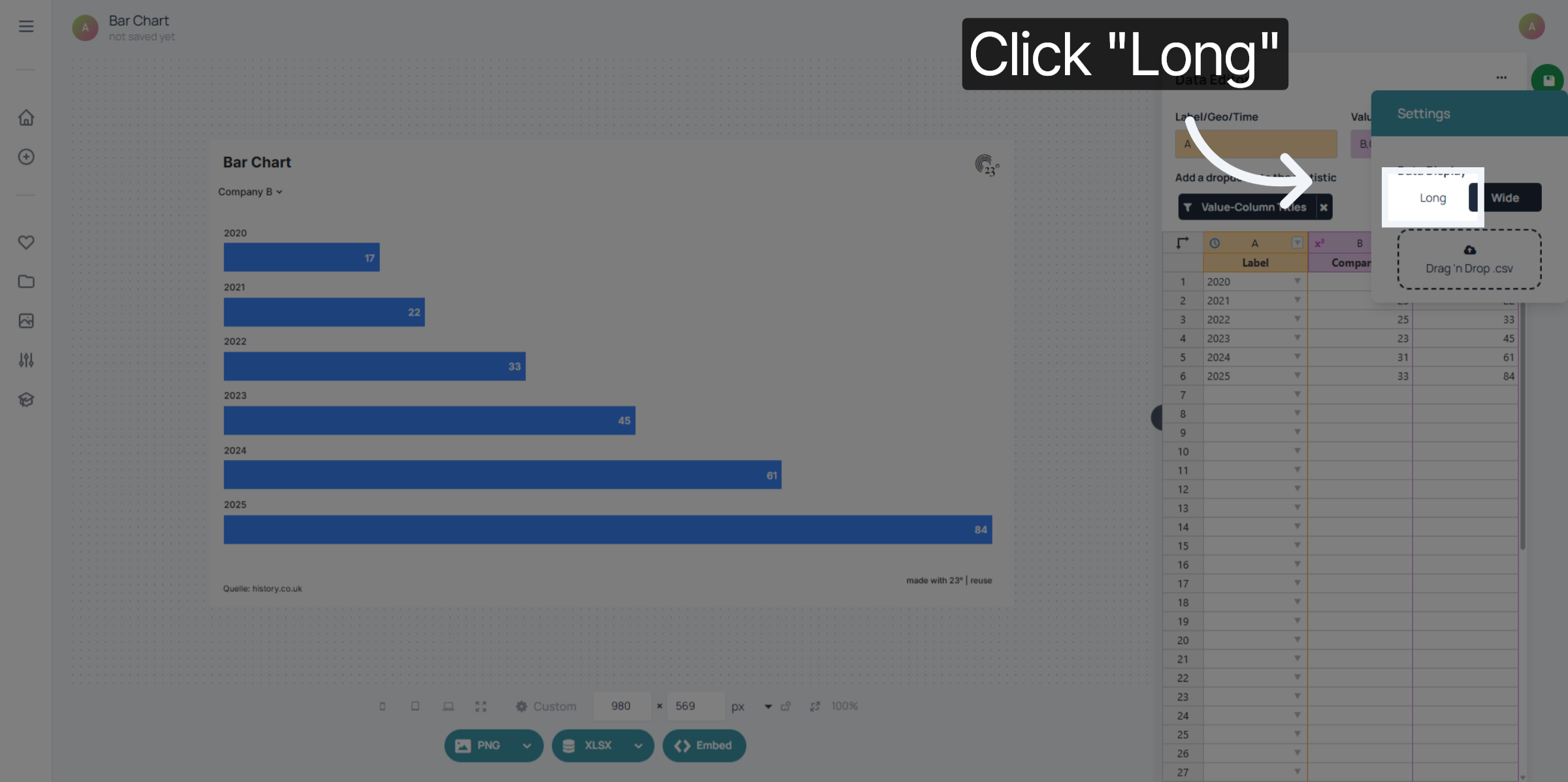
Click Long to select the long data format, which organizes data into key-value pairs for better analysis. This makes it possible to filter specific values, colour labels or style your legend categorically.
A new "Values" column will be added to your dataset which are the titles of your previous value columns. You can use this new column to filter or colour your chart.
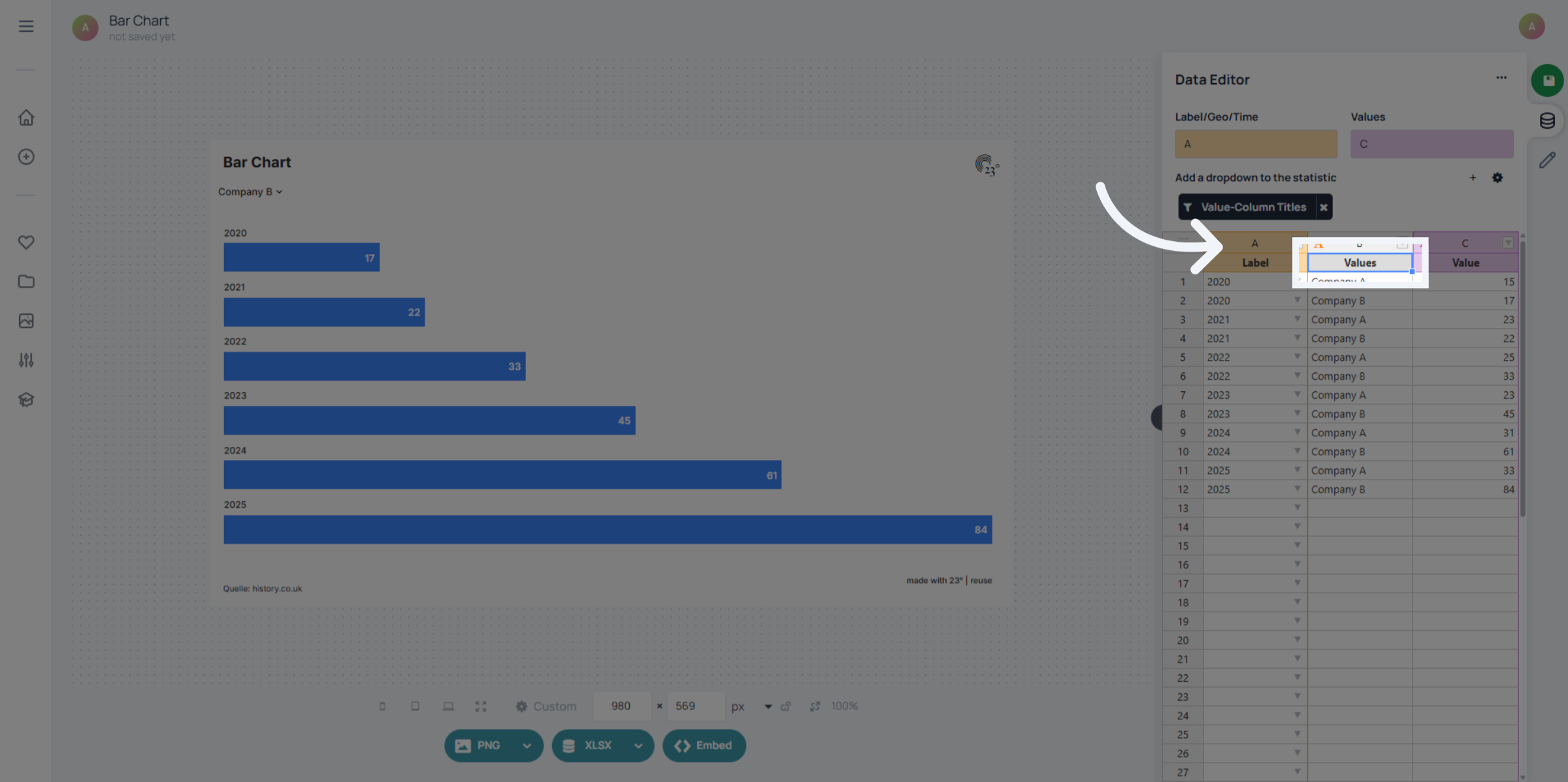
You have successfully switched your dataset from a wide to a long format in 23degrees, enabling more flexible data analysis. Next, explore how to visualize your transformed data for deeper insights.