How to colour bars or columns by label
This tutorial shows how to color bar or column charts by label to improve data visualization clarity.
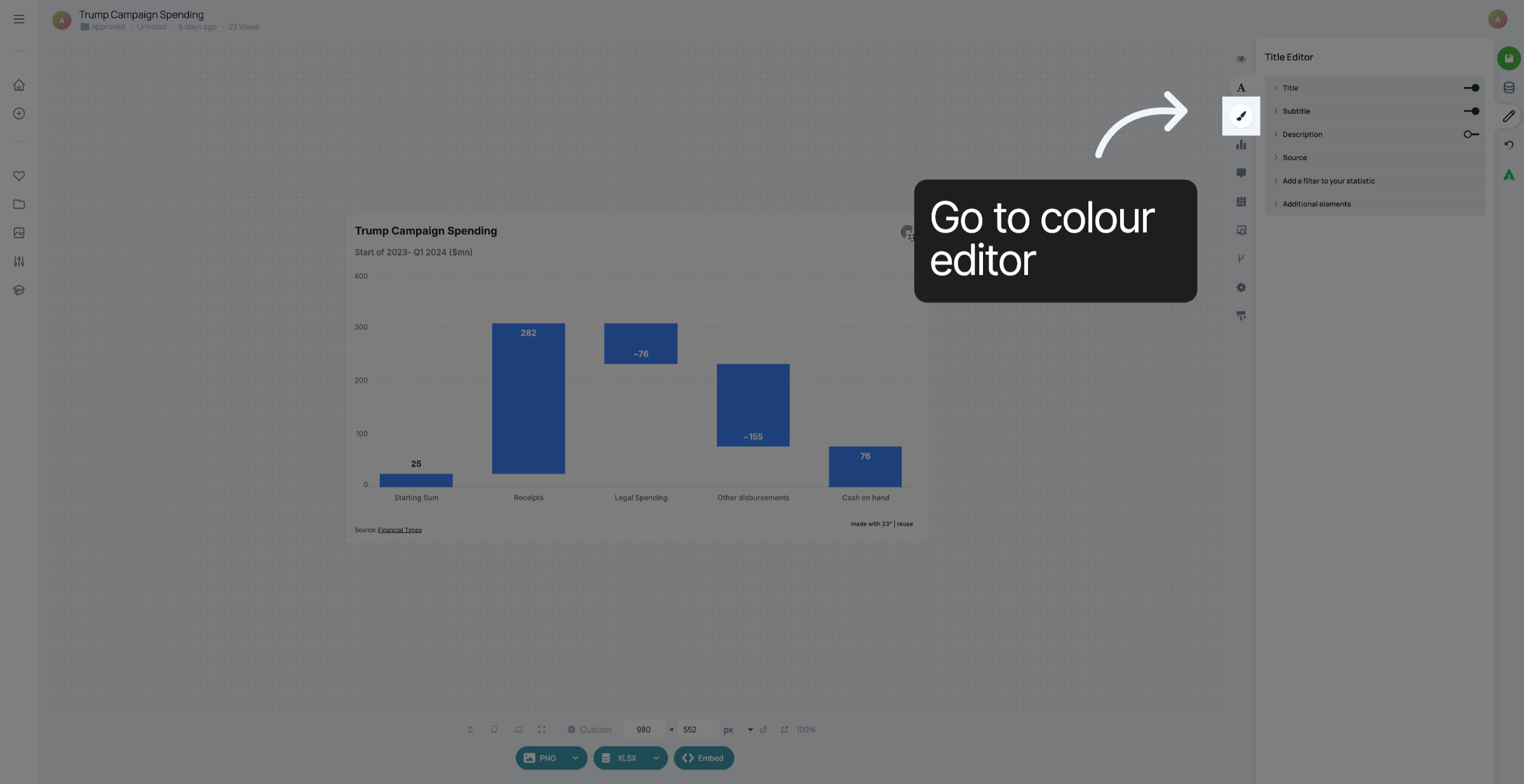
1. Go to Colour Editor
Go to the colour editor.
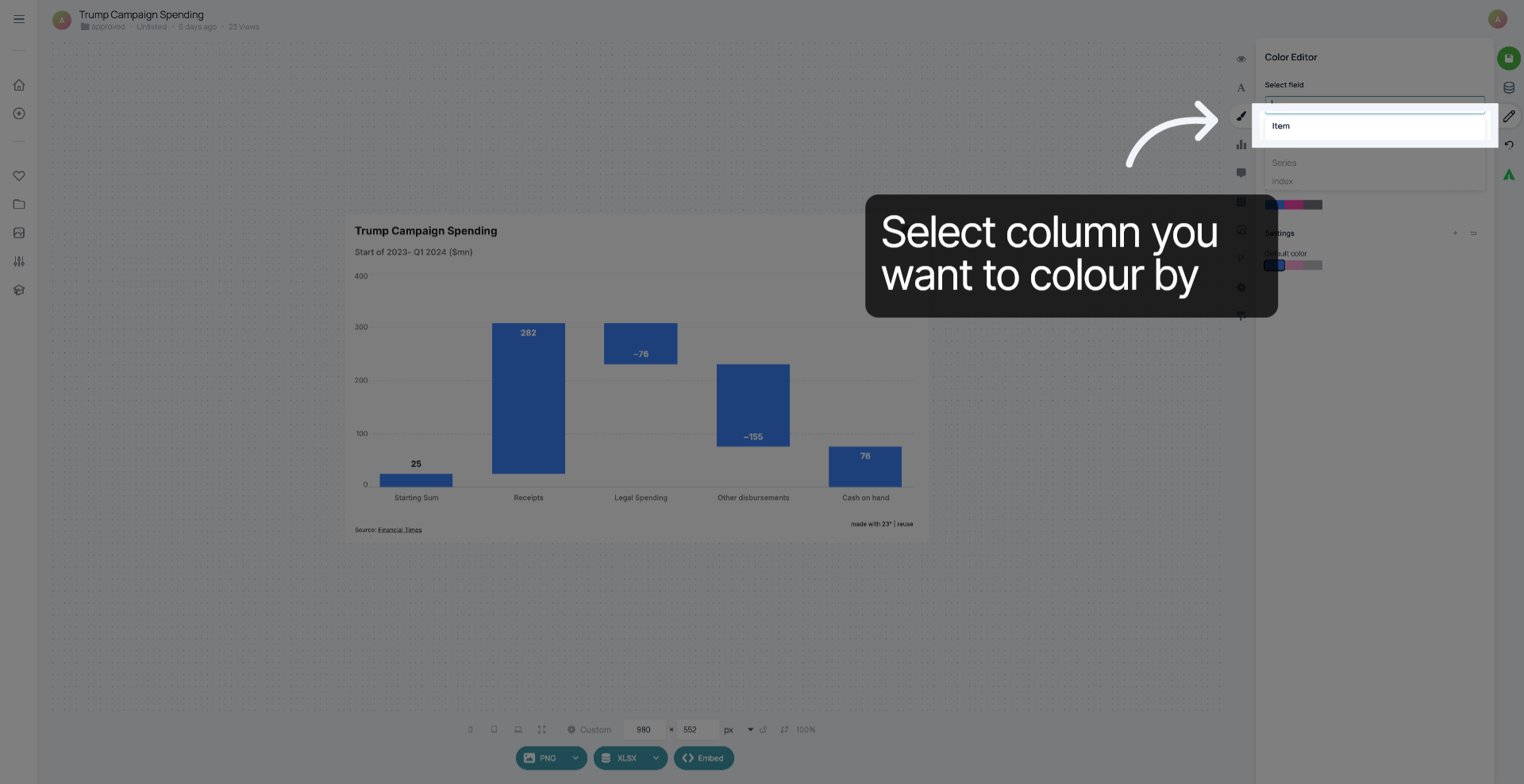
2. Select Label Field
Click "Item" to choose the label field that will determine the color coding of your chart.
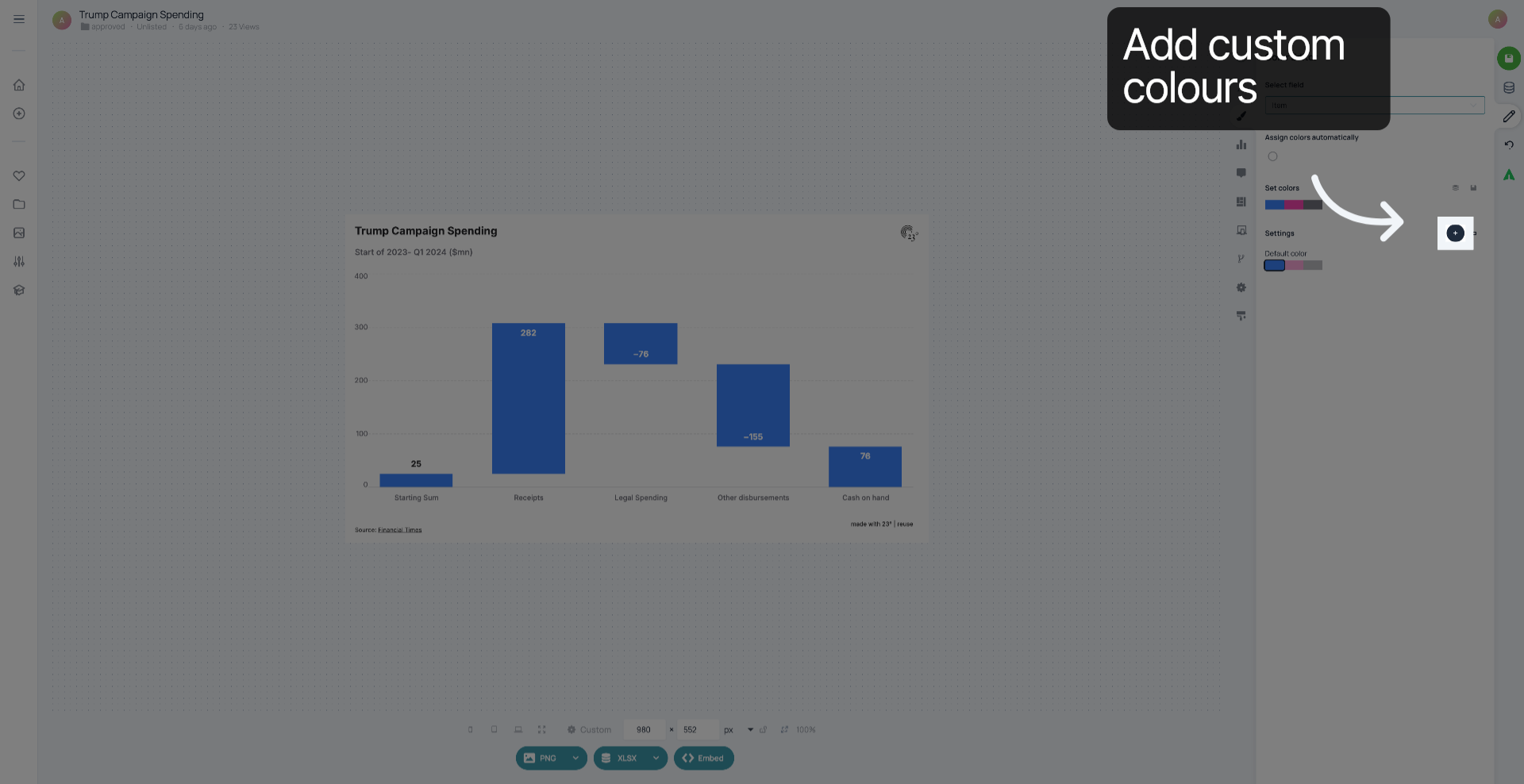
3. Click "+"
Click "+" to add custom colours.
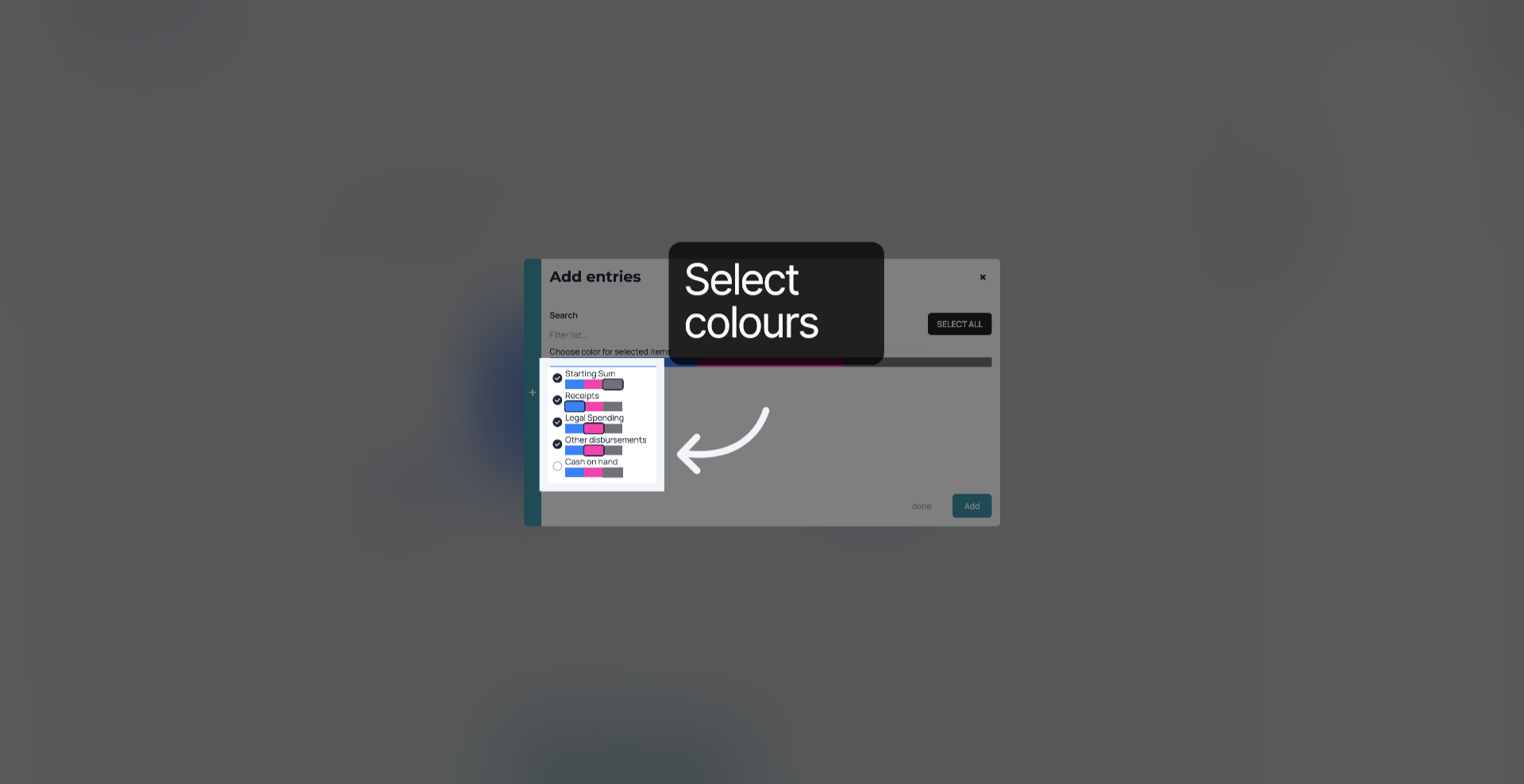
4. Select colours
Under ea label, select the colour you want the bar to be in.
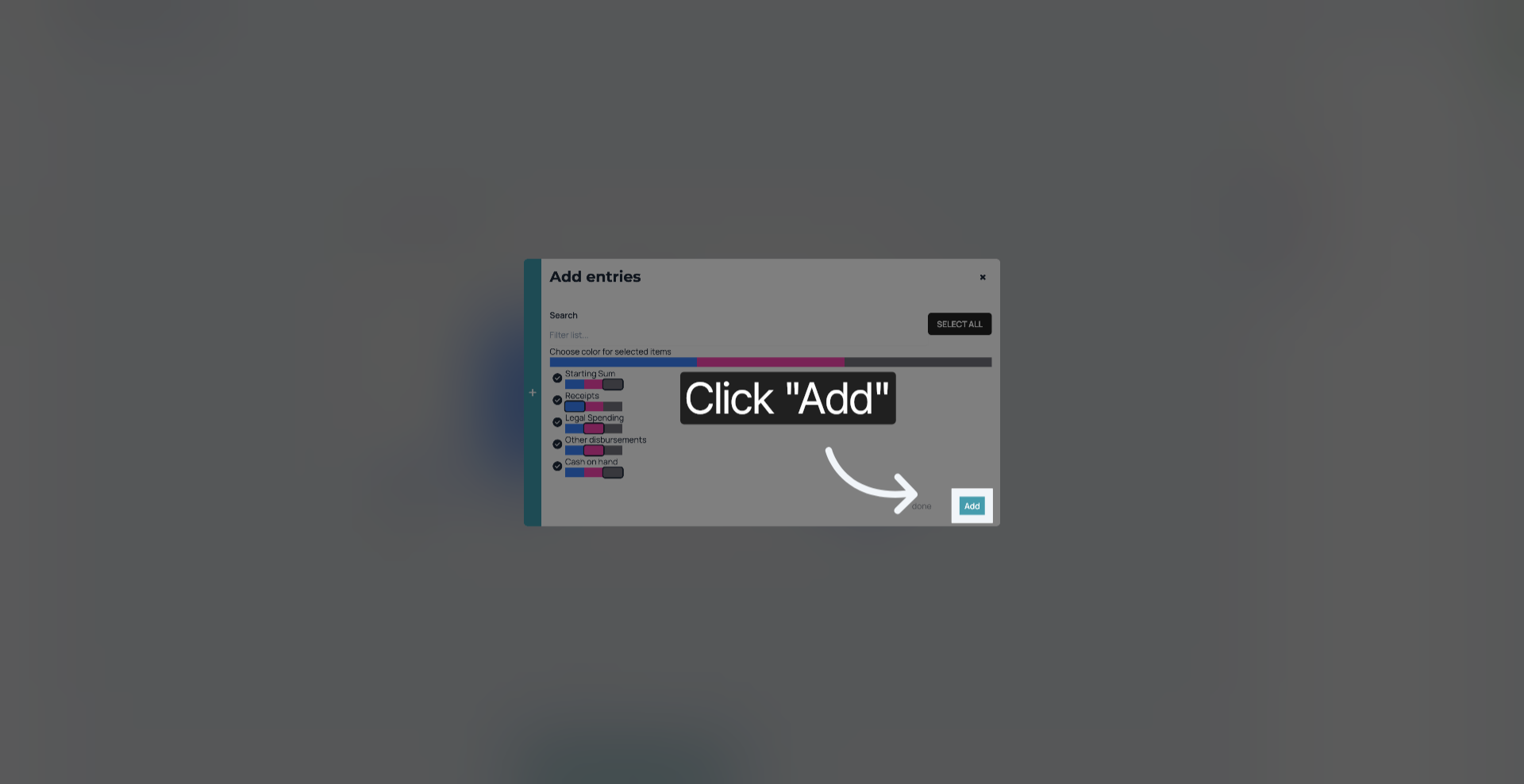
5. Click "Add"
Click "Add" to apply the changes.
6. Save your changes
Don't forget to save your changes.
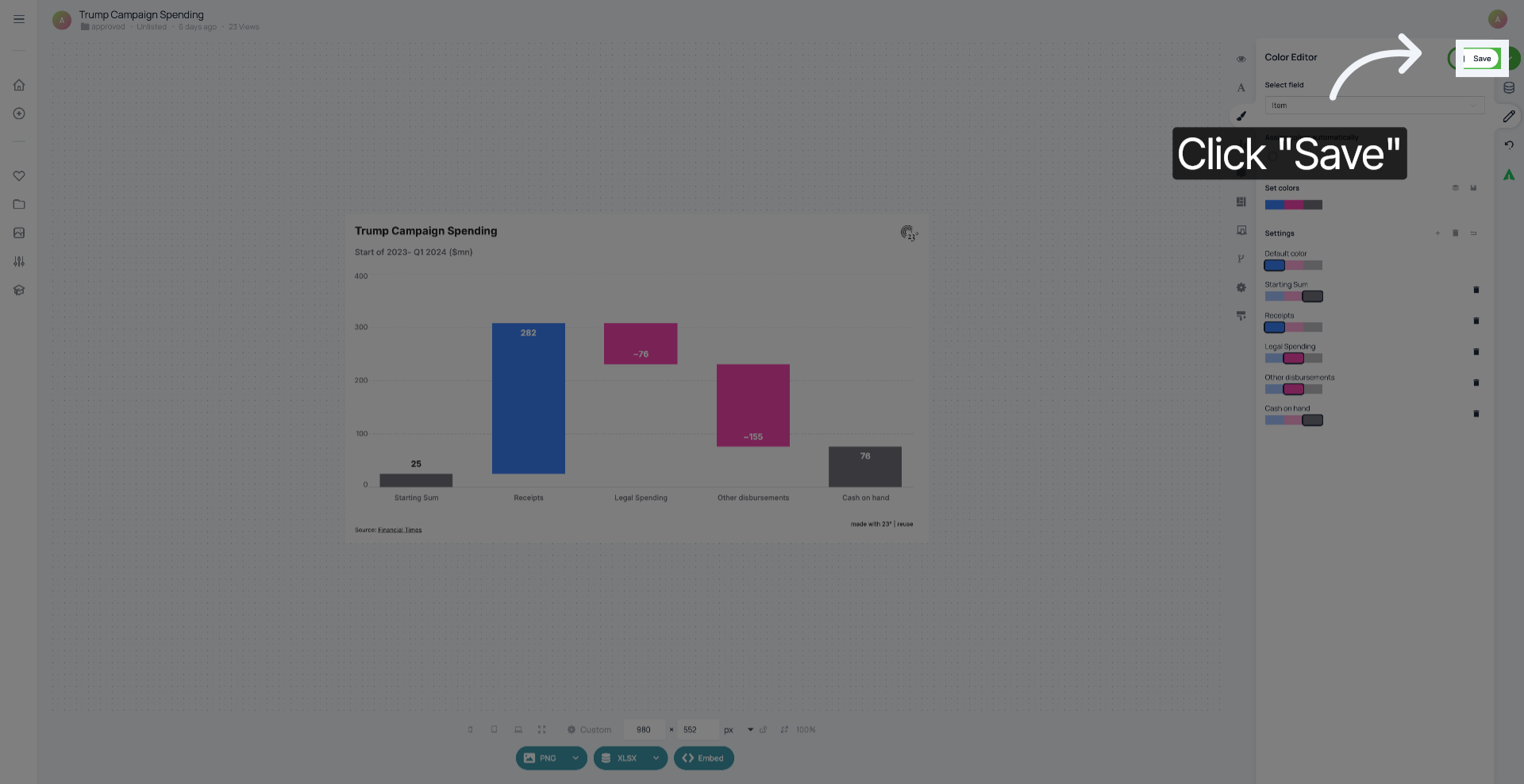
You have successfully customized the colours of your bars or columns.